 75คะแนน
🎮 เกมและความบันเทิง
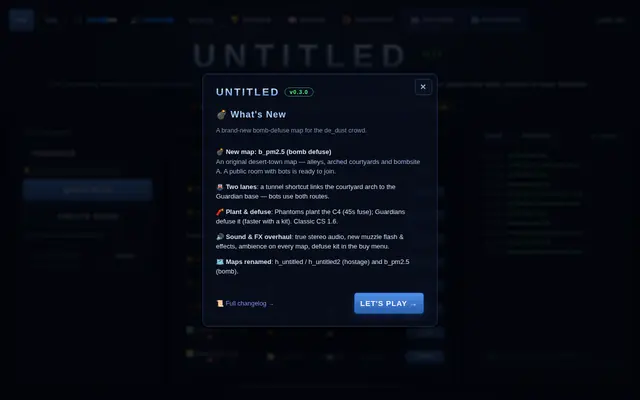
Counter-Strike บนเว็บ
เกม Counter-Strike ที่เล่นผ่านเว็บไซต์
อ่านการ์ตูนญี่ปุ่นและแปลข้อความในภาพด้วย AI
เปิดอ่านการ์ตูนญี่ปุ่นพร้อมระบบแปลภาพด้วย AI ผู้อ่านใช้งานผ่านหน้า web โดยมีส่วน Mobile ที่แสดงหน้าหลักเดียวกันและรองรับการเข้าสู่ระบบผ่าน Google หรือ Facebook
เว็บไซต์อ่านมังงะพร้อมระบบแปลมังงะด้วย AI ai-pipeline, bun, detection, grafana, inpainting, mangadock, multi-layer-architecture, multi-layer-cache, nestjs, nextjs, ocr, payment-gateway, redis, rendering, sdlc-enforced, sse, supabase, textline-merge, translation, xendit-payment-gateway https://hayateotsu.space/ <!-- lang:en --> # MangaDock MangaDock is split into 3 main parts: 1. Frontend: Next.js web app 2. Backend: NestJS API and orchestration layer 3. MIT: Manga Image Translator microservice for image translation The repository also includes `Mobile/`, a React Native WebView shell for the existing web app. It keeps the web UI as the main experience while handling Google/Facebook OAuth through the native auth session, which avoids WebView popup/login limitations. The root of this repository contains a `docker-compose.yml` for running the Redis instance used by the backend. ## Services and Default Ports | Service | Path | Default URL | |---|---|---| | Frontend | `Frontend/` | `http://localhost:4000` | | Backend | `Backend/` | `http://localhost:4001` | | MIT | `MIT/` | `http://localhost:5003` | | Mobile | `Mobile/` | Expo/Android development build | | Redis | root `docker-compose.yml` | `localhost:6379` | ## Prerequisites - Node.js and bun for Frontend and Backend - Python environment for MIT - Docker Desktop or Docker Engine if you want to run Redis or MIT via Docker - Supabase project (URL + Service Role Key) for the backend ## Recommended Startup Order 1. Start Redis 2. Start MIT 3. Start Backend 4. Start Frontend ## Quick Start ### 1. Start Redis From the root of the repository: ```bash docker compose up -d ``` The compose file at root is for Redis only. ### 2. Setup and Start MIT Go to the `MIT/` folder. The easiest way to run on Windows locally: ```bat run-s
โดย Slow-Inc · ดูโพสต์ต้นทาง
ต้องเข้าสู่ระบบก่อนถึงให้คะแนนได้ เข้าสู่ระบบหรือสมัครฟรี
75คะแนน
เกม Counter-Strike ที่เล่นผ่านเว็บไซต์
 74คะแนน
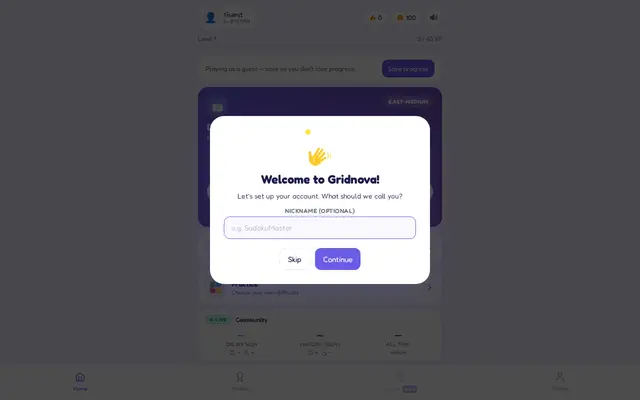
เล่น Sudoku และแข่งขันจัดอันดับกับผู้ใช้คนอื่น
 73คะแนน
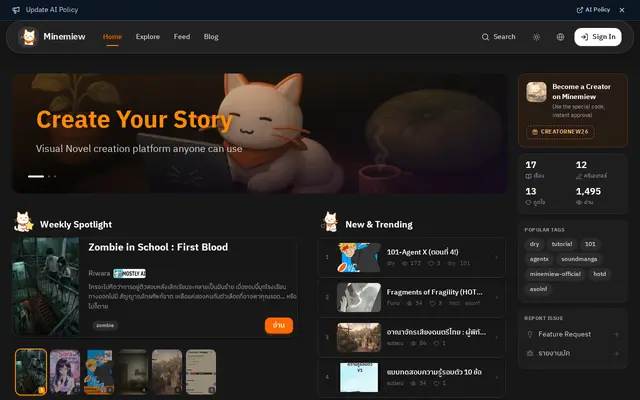
สร้างเกม visual novel ด้วยเครื่องมือลากวาง
 71คะแนน
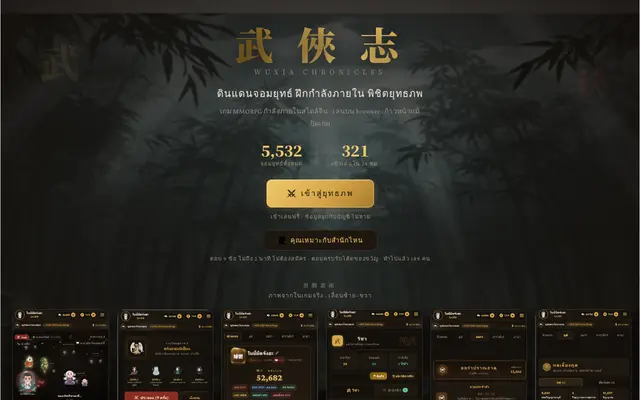
เกมต่อสู้แบบ Idle ที่เล่นต่อได้ขณะ offline
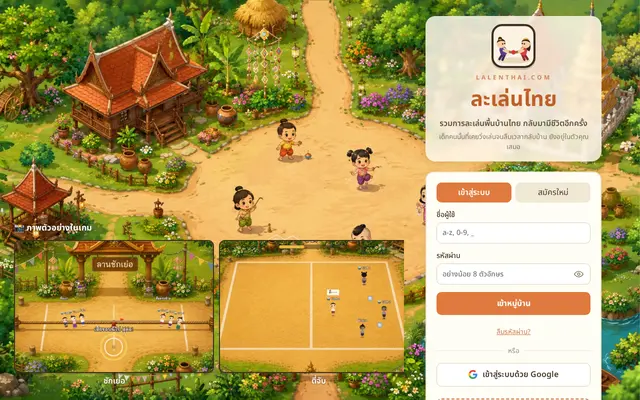 71คะแนน
รวมการละเล่นพื้นบ้านไทยในรูปแบบเกม
 68คะแนน
กดเล่นผ่านเว็บไซต์เพื่อคลายเครียด
เปิดอ่านการ์ตูนญี่ปุ่นพร้อมระบบแปลภาพด้วย AI ผู้อ่านใช้งานผ่านหน้า web โดยมีส่วน Mobile ที่แสดงหน้าหลักเดียวกันและรองรับการเข้าสู่ระบบผ่าน Google หรือ Facebook
Slow-Inc เป็นผู้สร้าง MangaDock ผลงานหมวดเกมและความบันเทิง เว็บแอปเทพให้เครดิตเจ้าของผลงานและมีลิงก์กลับไปยังต้นทางทุกรายการ
ตรวจล่าสุดเมื่อ 17 ก.ย. 2569 เปิดไม่ขึ้น รายการนี้จึงถูกลดคะแนนอัตโนมัติ
คะแนนเต็ม 100 คิดจาก 4 ส่วน คือ เว็บยังเปิดใช้งานได้จริง 40 คะแนน (ลิงก์ตายเหลือ 5) คุณภาพเว็บจากการสแกนอัตโนมัติสูงสุด 20 คะแนน (ใช้บนมือถือได้ 5 โหลดเร็วสูงสุด 7 มีคำอธิบายเว็บ 4 มีภาษาไทย 4 รวมคะแนนบรรณาธิการ) ความนิยมในชุมชนต้นทางสูงสุด 20 คะแนน คิดแบบลดหลั่นตามจำนวน reactions และคะแนนดาวจากสมาชิกเว็บสูงสุด 20 คะแนน (ดาวเฉลี่ยคูณ 4)
เป็นเจ้าของผลงานนี้และอยากแก้ข้อมูลหรือนำออก แจ้งเราได้ที่นี่